2024-06-19 08:00:20
4.7k
447
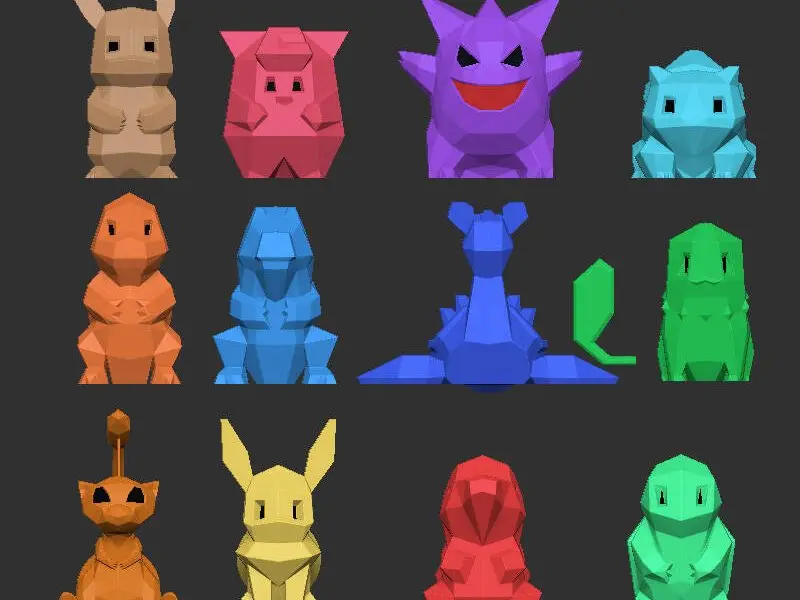
Low-Poly Pokemons - A Door Knob Collection - multicolour

@Alex_3775335
Donate
Message
Follow
Recommended printing method
+ Frequently Used Printer
More profile
127
Share


Description
Thank you for sharing with Olo Deepdelver
Wanted some pokemon door knob for the kids room drawers. It didn't exist, now it does.
Some of them could definitely be used as hooks too !
How to print:
- Print with bottom/face of the knob facing down, that is the the only way to insert the M5 nut mid-print. (See gcode)
- A minimum of 3 perimeters if you are going to use it as a knob. Mine are in the kid's bedroom, I went for 5 perimeters.
- Add color swap or pause just before the M5 inner chamber start to close. See pictures and/or gcodes.
- During print, when the color swap happens, drop the M5 in its chamber. See picture. Make sure it is all the way down and can be touch by the nozzle.
- Unfortunately support are required for almost all knobs. I tried various workflows but here is the one that was the fastest and provided OK-ish results: use the paint support tool to highlight all face with overhang superior @45° then, enforce only the critical one with the smartfill selector, one by one. There might be a better way of doing it, when I use the automatic tool the M5 chamber got filled with support.
For multi-color printing remixed, I hope you like my coloring scheme. Or easily replace the solution you want in Anycubic Slicer.
Tags
License
This remix is based on
https://www.printables.com/model/251353