Perfect Fit Dividers for Stanley 1-93-981 Storage Box


Perfect Fit Dividers for Stanley 1-93-981 Storage Box
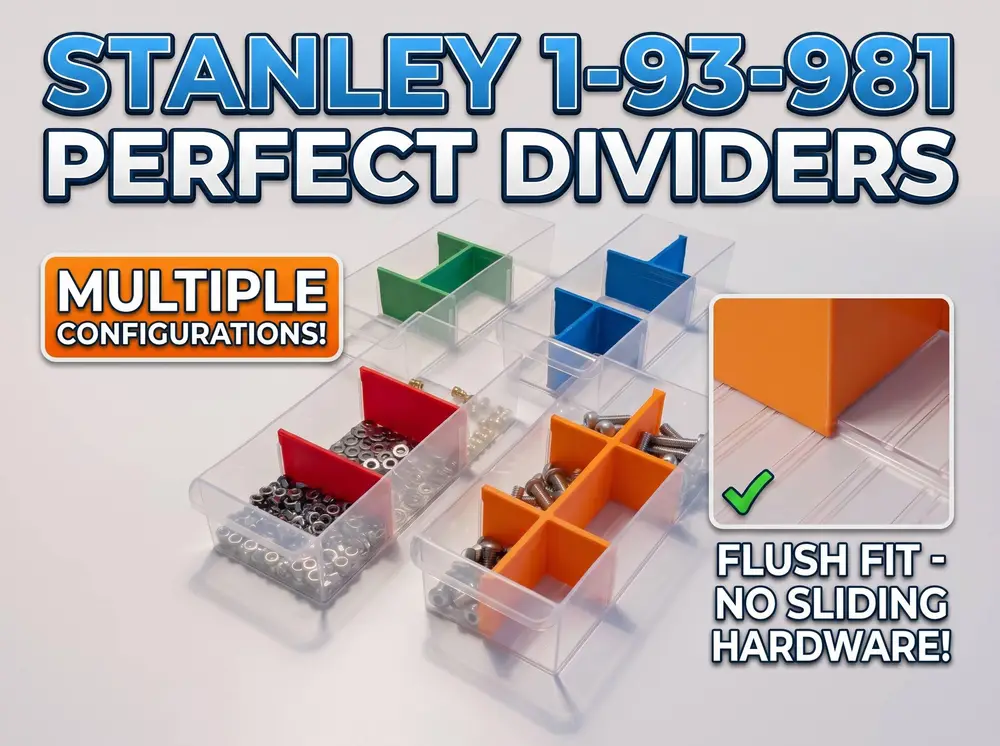
I previously downloaded standard dividers for my Stanley 1-93-981 parts organizer, but quickly ran into a frustrating problem: small screws, nuts, and especially thin washers kept sliding underneath them, mixing all my hardware together. The issue is that the Stanley bins do not have a flat bottom. They have a specific ribbed pattern on the floor, along with a small bump from the plastic injection molding process. Standard flat-bottom dividers simply can't reach the bottom of the bin. To fix this, I fired up SolidWorks and reverse-engineered the exact bottom profile of the bins. After a lot of trial and error and test prints, I managed to cut that exact pattern (including the clearance for the injection bump) into the bottom edge of these dividers. The result is a direct drop-in divider that sits 100% flush against the bottom. Even the thinnest washers stay exactly where they belong!
Tip: Use different colors to sort and easily find your hardware
Included Configurations
To give you maximum flexibility for organizing your hardware, I have included several different layouts:
- Single Divider: Use two of these to split the bin into 3 standard sections.
- 6-Way Splitter: Divides the entire bin into 6 equal, small compartments.
- 4-Way Splitter (1-2-1): A modified 6-way splitter missing the top and bottom crossbars, dividing the bin into 4 sections (1 - 2 - 1).
- Modified Splitter (Middle removed): If you put two of these in one bin, it creates a 5-compartment layout (2 - 1 - 2). Using just one gives you 3 compartments, and it can easily be mixed and matched with the single flat dividers for even more custom layouts!
Source Files Included!
For those who want to tweak the design, I have included the original SolidWorks files. There are only two CAD files provided:
- The Single Divider
- The Splitter with Junctions
(Note: The other 6-way variations are all contained within this single file. The different layouts were created using extrude cuts, so you can easily switch between them with the configuration function of solidworks).
Print Settings & Recommendations
Orientation: Print them upside down (with the perfectly flat top edge resting on the build plate). This requires zero supports and ensures the complex bottom geometry prints perfectly at the top.
Supports: None required if printed upside down.
Layer Height: 0.20 mm works great.
Infill: 15% is plenty.
Material: PLA or PETG both work perfectly.
Tumbnail has been made with Gemini AI