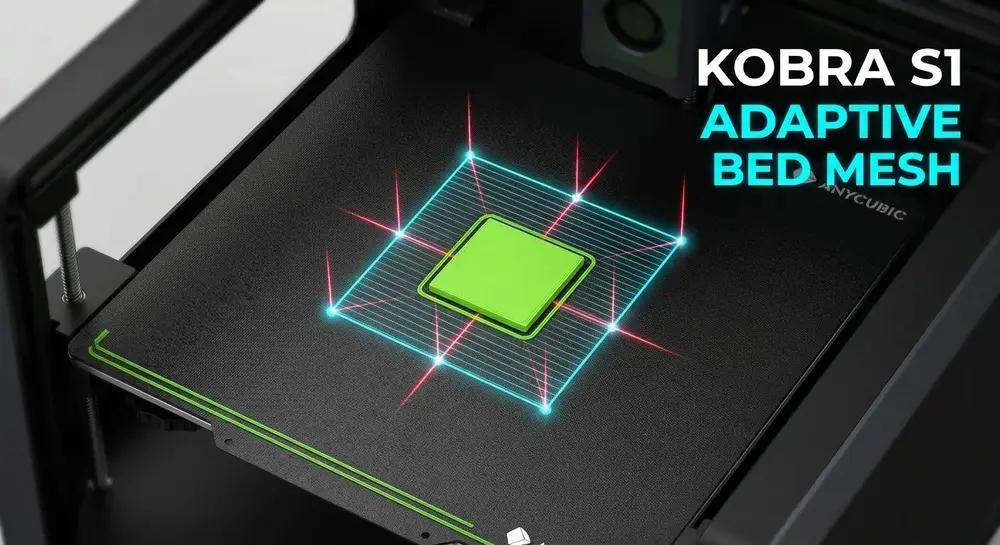
Anycubic Kobra S1 – Adaptive Bed Mesh & Fast Purge Line (Stock Firmware 2.7.2.7)


Save minutes before every print on your Anycubic Kobra S1 (Stock Firmware 2.7.2.7 – no custom firmware needed)!
This .3mf calibration test pad includes a custom Machine Start G-Code for Anycubic Slicer Next that solves three common issues on the Kobra S1:
- True Adaptive Bed Mesh (3×3 Points): Instead of probing the entire 250×250 mm bed before every print, the printer only probes the exact area underneath your model.
- Zero Cooldown Waiting Time: Automatically preheats the bed
+5 °Cabove your filament profile temperature (first_layer_bed_temperature + 5) during probing and immediately switches back to your target temperature without waiting for passive cooling. - Clean Mechanical Purge-Line Tear-Off: Prints a clean double purge line at the front edge and performs a quick snap move (
X5) with retraction to tear off any stringing before moving to your print.
How to use it:
- Open the
.3mfproject in Anycubic Slicer Next. - Click the Edit (Pencil) icon next to the printer preset and click the Save (Floppy Disk) icon to save the custom Start G-Code into your own printer profile.
- Make sure Bed Leveling is checked when sending the print – the printer will now only probe the area where your object is located!
- (Note: Tested on Stock Firmware V2.7.2.7 with bed temperatures up to 95 °C.)
Auf der Original-Firmware (2.7.2.7) wählt das G9111-Makro die Anzahl der Messpunkte automatisch anhand der Bauteilgröße – bei kleinen Teilen macht er 3×3 Punkte, bei größeren Bauteilen skaliert er automatisch auf 4×4 oder 5×5 (maximal 25 Punkte) hoch. Eine feste höhere Punktzahl (z. B. 7×7 oder 9×9 auf kleiner Fläche) lässt sich nur mit Custom Firmware wie Rinkhals / DuckPro in der printer.cfg erzwingen.
___________________________________________________________________________________________________________________________________________________________________
Spare vor jedem Druck wertvolle Minuten auf deinem Anycubic Kobra S1 (Original-Firmware 2.7.2.7 – kein Custom-Firmware-Umbau nötig)!
Dieses .3mf-Testprojekt enthält einen optimierten Start-G-Code für Anycubic Slicer Next, der drei Dinge auf einmal löst:
- Echtes Adaptive Bed Mesh (3×3 Punkte): Tastet nur noch den exakten Bereich unter deinem Bauteil ab statt der gesamten Druckplatte.
- Keine Abkühl-Wartezeit nach dem Leveln: Heizt beim Nivellieren automatisch
+5 °Cüber deine Profiltemperatur vor und springt danach ohne Pause sofort auf deine Zieltemperatur zurück. - Sauberer mechanischer Purge-Line-Abriss: Zieht vorne eine saubere Doppellinie und reißt den Faden mit einem kurzen Ruck (
X5) mechanisch ab, bevor der Druck startet.
So übernimmst du den Code dauerhaft:
- Öffne die
.3mf-Datei in Anycubic Slicer Next. - Klicke oben links neben dem Druckerprofil auf das Stift-Symbol und speichere das Druckerprofil über das Disketten-Symbol ab.
- Lasse beim Druckstart den Haken bei Druckbettnivellierung aktiv – ab sofort levelt der Kobra S1 nur noch dort, wo auch gedruckt wird!