2026-10-09 05:05:15
64
2
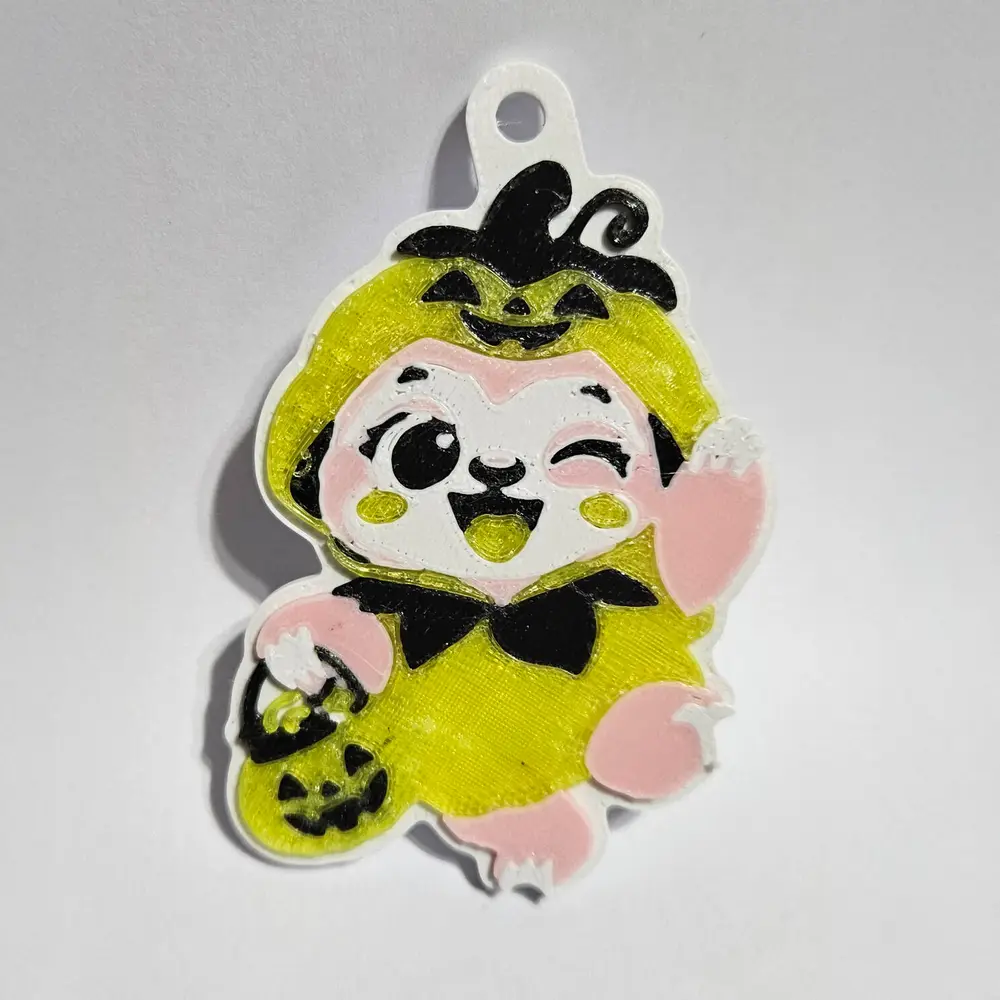
Halloween Trick-or-Treat Sloth Keychain

@Stegasarus_Stef_2407864
打赏
私信
关注
推荐打印方式
添加
Halloween Sloth

Kobra X
/ 分盘:1
/ 0m
0
分享


描述
Trick-or-Treat Sloth Keychain: 4-Colour Multi-Material Print
A happy little sloth in a pumpkin costume, waving hello with a trick-or-treat basket full of candy. It's a flat, enamel-pin-style keychain: all four colours print on one smooth top surface, with a recessed white border around the outside.
Features
- 4 colours: white, black, a fur colour and a costume colour. Classic is brown and orange; shown here in pink and yellow for a pastel look.
- Flush multi-colour face, so the design is smooth to the touch
- Recessed white border frames the design
- Built-in key-ring loop with a 4.5 mm hole, fits standard split rings
- Includes a 3MF with all parts pre-aligned, plus separate STLs for each colour
Size: about 58 × 75 × 3.7 mm
Print settings
- Printer: multi-colour printer required (AMS, ACE or similar), since there are several colours per layer. Printed on an Anycubic Kobra X.
- Material: PLA, same material for all four colours
- Layer height: 0.2 mm, or 0.12 mm for crisper details
- Supports: none. Print flat, face up.
- Infill: 15%
How to load
- Open the 3MF, or import all four STLs together and choose "Yes" to load them as one object with multiple parts.
- Assign each part to a filament slot: white (base, face and claws), black, fur colour and costume colour.
- Slice and print. Colour changes only start above 2.5 mm, so the base prints quickly in one colour.
Tips
- The claws and the candy in the basket are the smallest details, so check them in the slicer preview.
- Use a light colour for the face so the sloth's eye patches and wink stand out.
- If you see fine strings on the edges, raise retraction slightly for your white filament, or clean them off with a quick pass of a heat gun.
标签
版权声明