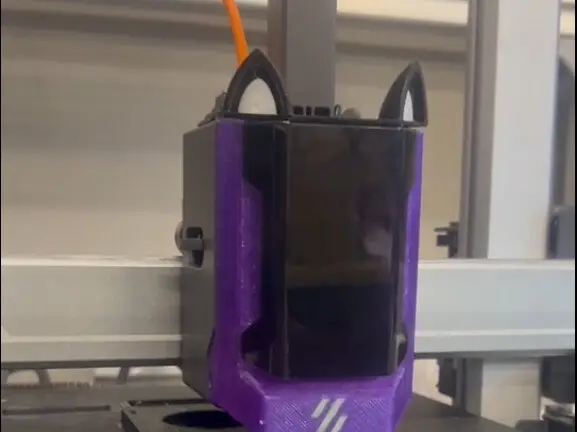
Kobra 3 Printhead ( Front piece)


I attempted making the Anycubic Kobra 3 printhead using AutoDesk Inventor
The model is not perfect but it seems work hope you guys like it
the support is kinda tough to take off i recommend using cutter or metal scraper to peel it off
Recommendation
layerheight 0.2
Support normal ;on build plate only
print with the logo faced down
Instruction
Carefully take out the components
take out the fan unscrewing two of the scew
the led part can be taken out with flat head screw driver by pushing the right side of the circuit board and slowy shove it up
put the component in the printed printhead
make sure to align the wire through the bracket on the left side
****Dont forget to print at least 2 of the supportthingy.stl it need to be attach to the top portion of the model as seen in the picture as red part.
*****as tested it will be tight fit if u slide it in
Coloring
the logo part of the stl can be colored using fill.
if you point the cursor near the logo part you will see the outline
or else just fill the entire part with the setting edge detection off and you will see the logo
Notice
Do this at your own risk
Related models
Cat ears https://www.makeronline.com/model/Cat%20ears%20for%20Anycubic%20Kobra%203%20printhead/29299.html
please dont steal mywork ;-;;;;