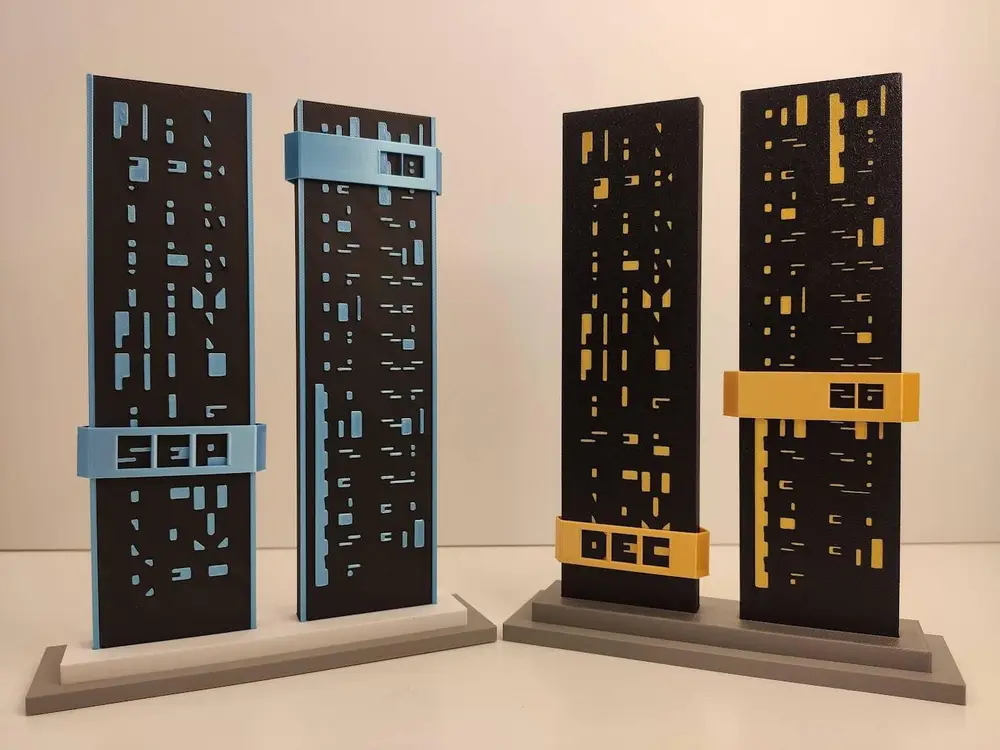
Monolith Cryptic Calendar


Overview
My adaptation of cryptic calendar for 3d print.
Instruction
Monolith has two version.
First version of calendar (yellow one on photos) are colored from bottom so you can get additional effect from various textured plates. But in this case you need Anycubic ACE Pro color it from bottom.
Second version of calendar (blue one on photos) has signs carved in monolith. You can colored it from top using "change color" option so Anycubic ACE Pro is no required. You can use ironing if you want more fine finish.
If you have ACE Pro I recommend first version.
Bases you can print on textured plate and upside down it for textured effect.
You can use one base or two as you need. If you use two, put one i another
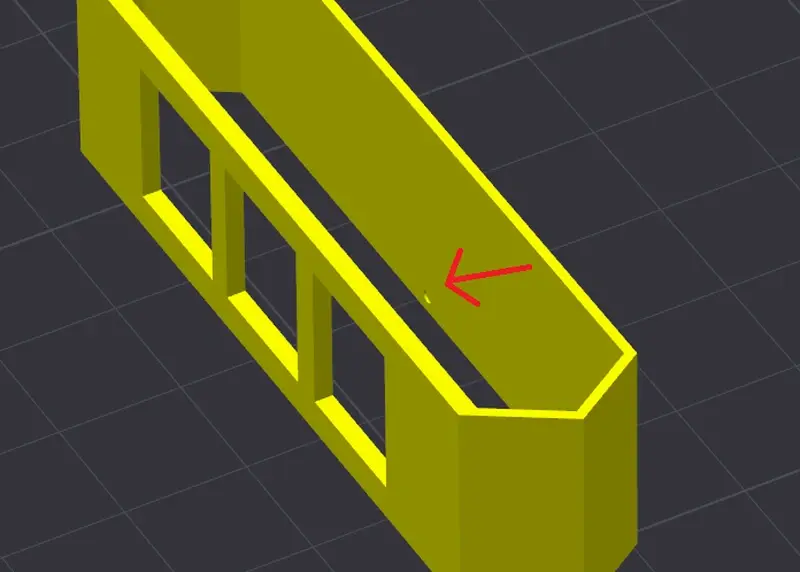
The indicator for months has an upper and lower side. Place it on the monolith with the dot side down. The dot is shown below
Have fun
You are prohibited from sharing, sub-licensing, selling, renting, hosting, transferring, or distributing the digital file or 3D printed versions of this object, as well as any other derivative work in either digital or physical form (including remixes).You are not allowed to use the objects in any manner that involves charging money or collecting fees without permission.